
Task Bar Cube Heroes: Classes, Gear, and Upgrade Guide
Build your Task Bar Cube heroes with five classes, combat skills, pets, and gear upgrades. Learn how talents, village boosts, and Prestige shape your team.
Jump to
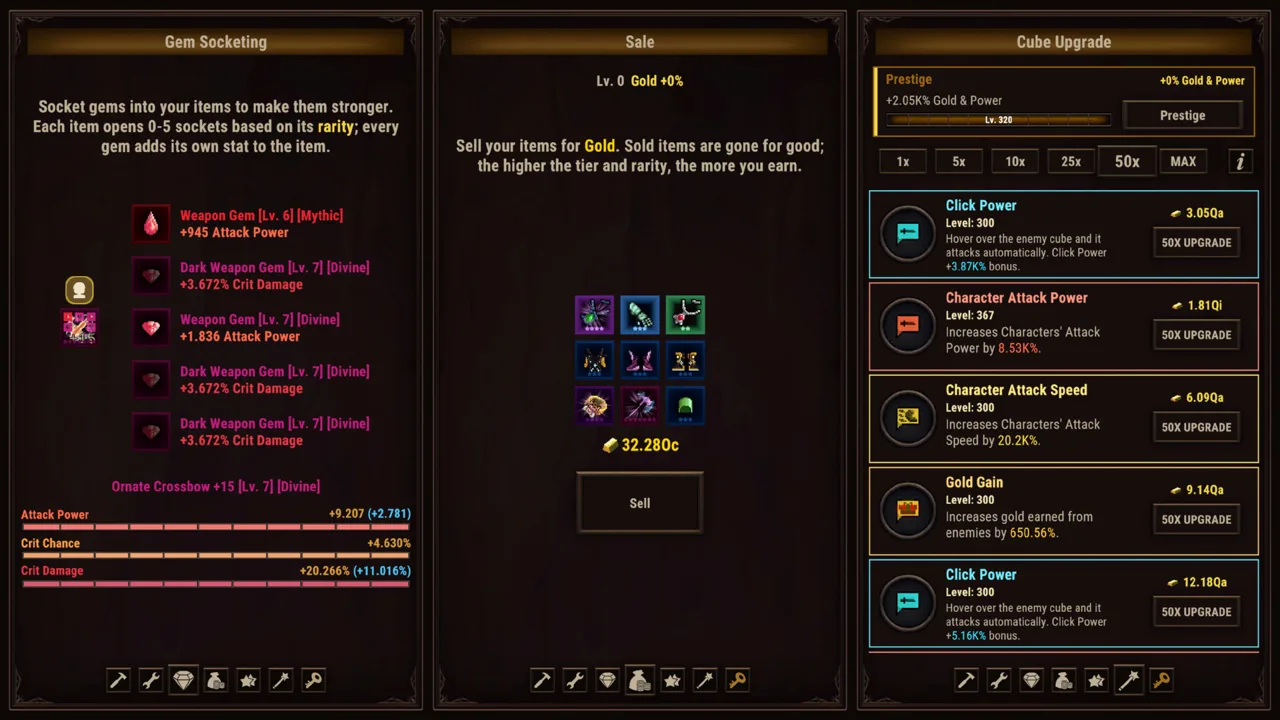
How Do Task Bar Cube Heroes Work?
Task Bar Cube heroes keep fighting while you get on with your day. Choosing their classes, developing their talents, and upgrading their equipment gives you ways to shape that automatic combat. Task Bar Cube heroes span five classes, each with its own combat skill, with pets and village systems adding more ways to develop your team.
The appeal is having a party to build without needing to direct every attack. You can keep the game in a small taskbar window while working or switch to fullscreen when you want to spend time on upgrades.
Your heroes handle the fighting, but character development stretches across several connected systems:
| Hero System | What It Includes |
|---|---|
| Classes | Five classes, each with a distinct combat skill |
| Character customization | Talent trees and hero skills |
| Equipment | Seven rarities, from Common to Divine, with seven tiers for every item |
| Pets | Companions you can collect and upgrade |
| Village support | Library and Animal Shelter systems that boost heroes and pets |
Think of a hero as a combination of these systems. Class choice gives you a combat skill to work with; talents and equipment give you further decisions about that character’s development.
When reviewing your team, look beyond a single upgrade screen. Check the hero’s skill, talents, equipment, and relevant village boosts together. This gives you a clearer picture of the character you are building and helps you choose what to examine next.
Keep the taskbar view open for everyday play, then use whichever display mode makes comparing character details comfortable.
Shape Your Heroes Through Classes, Talents, and Skills
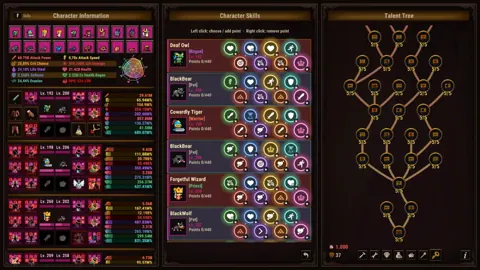
The five classes give Task Bar Cube heroes different combat skills. Start with those skills when deciding how you want to build your team.
 Image: Steam / DarkRook Interactive
Read each class’s combat skill before investing in its development. Focus on what the skill actually does, then examine the talent choices available to that hero. Use those descriptions to guide your decisions rather than carrying assumptions over from another RPG.
Connect Talent Choices to a Clear Goal
Talent trees and hero skills let you customize individual characters. Give each hero a direction before making a series of upgrades.
Use this review checklist:
- Read the class combat skill.
- Examine the hero’s talent tree.
- Compare the available hero skill upgrades.
- Check equipped items and socketed gems.
- Review the pets you are developing alongside the team.
The checklist is a way to organize your decisions, rather than a required upgrade order. Start with whichever system you are currently working on, then check how that choice fits the rest of the character.
For example, when comparing equipment, return to the hero’s skill and talent descriptions. Choose the item whose displayed stats fit your intended build. Apply the same reasoning when choosing gems.
Compare Changes Without Losing Track
When experimenting with Task Bar Cube heroes, change one part of a build at a time if you want to understand its effect. Review the character’s displayed stats and battle results before making another adjustment.
Avoid changing talents, equipment, and gems simultaneously during a comparison. Keeping your changes separate makes it easier to follow what you have altered.
You can still make several upgrades during a normal play session. Separate them when your goal is to evaluate a specific choice.
Upgrade Hero Gear Through Rarity, Tiers, and Gems
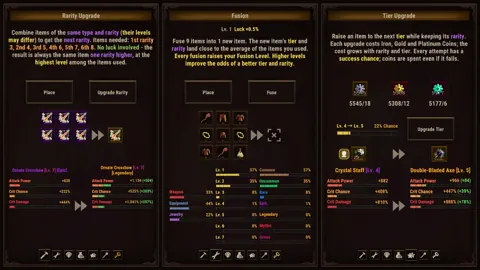
Equipment gives you several ways to develop Task Bar Cube heroes. Items have seven rarities, running from Common to Divine, and every item also has seven tiers.
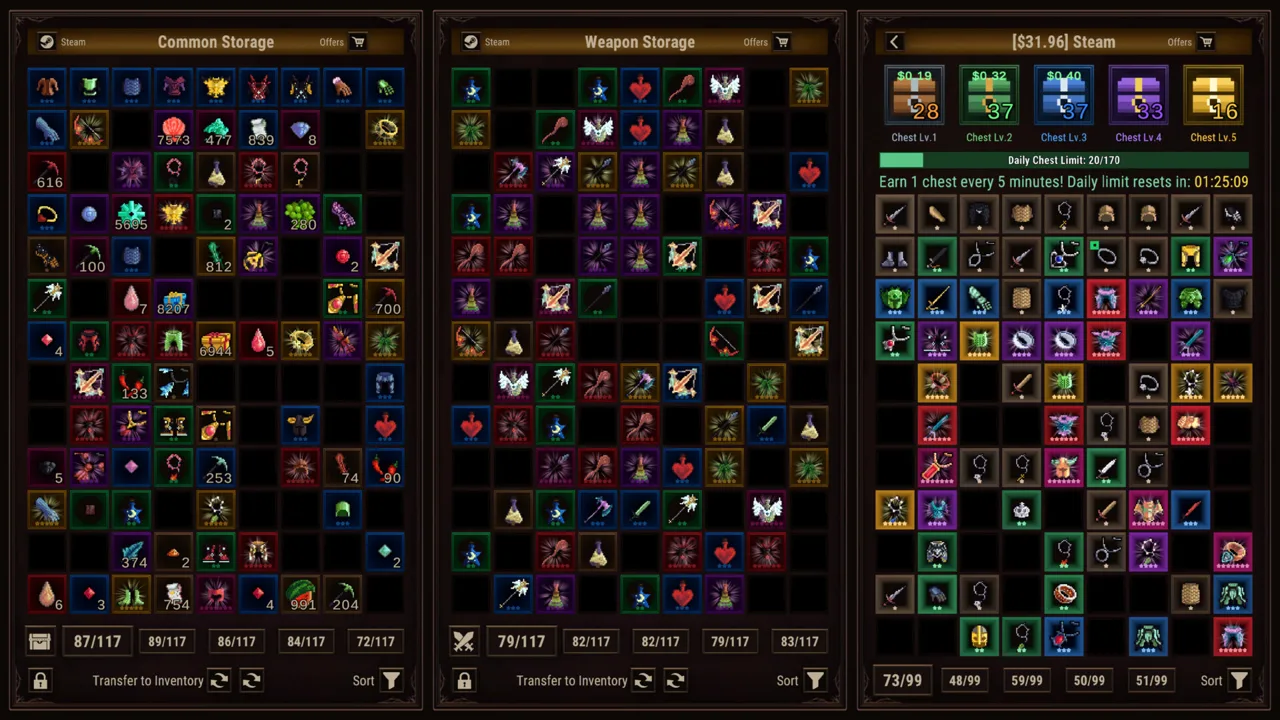 Image: Steam / DarkRook Interactive
Rarity and tier are separate details to inspect. Check both alongside the item’s actual stats when comparing equipment.
| Equipment Feature | What It Does |
|---|---|
| Rarity | Places equipment within seven rarity levels, from Common to Divine |
| Tier | Gives every item seven tiers |
| Fusion | Combines items into new equipment |
| Gem socketing | Adds gems that provide extra stats |
| Rarity and tier upgrades | Lets you improve equipment through both systems |
Compare the Complete Item
Read the whole item before replacing a piece of gear. Examine its rarity, tier, and displayed stats, then compare those details with what your hero currently uses.
Keep the character’s build in view. Equipment is part of hero customization, so evaluate it alongside talents and skills.
For example, if you are reviewing a newly acquired item, compare it with the equipped piece before spending resources on further upgrades. Make the equipment decision first, then consider how you want to develop the chosen item.
This keeps two separate questions clear: which item you want to use, and which upgrades you want to apply to it.
Review Equipment Before Fusion
Fusion turns items into new gear. Before combining equipment, check whether any of those pieces belong in a current build.
Use a deliberate inventory routine:
- Review newly collected equipment.
- Compare potential replacements with equipped items.
- Decide which pieces you want to develop.
- Inspect the items involved in a fusion.
- Revisit gem choices after changing equipment.
These are inventory habits, not additional game requirements. They keep equipment management connected to your heroes instead of turning it into a separate task.
Use Gems With a Specific Purpose
Gems add extra stats through socketing. Read those stats before choosing where to use a gem.
Match gem decisions to the character you are developing. If you change a hero’s equipment or adjust its talents, review its gems again so your choices remain consistent.
Avoid treating socketing, fusion, and rarity upgrades as interchangeable actions. Each works on equipment differently. Open the relevant screen with a clear purpose: adding stats, creating new gear, or improving an item’s rarity or tier.
That distinction makes a crowded equipment system easier to navigate.
Support Your Team With Pets and Village Systems
Task Bar Cube heroes develop alongside pets, resource gathering, and village improvements. Give these systems a place in your regular team review.
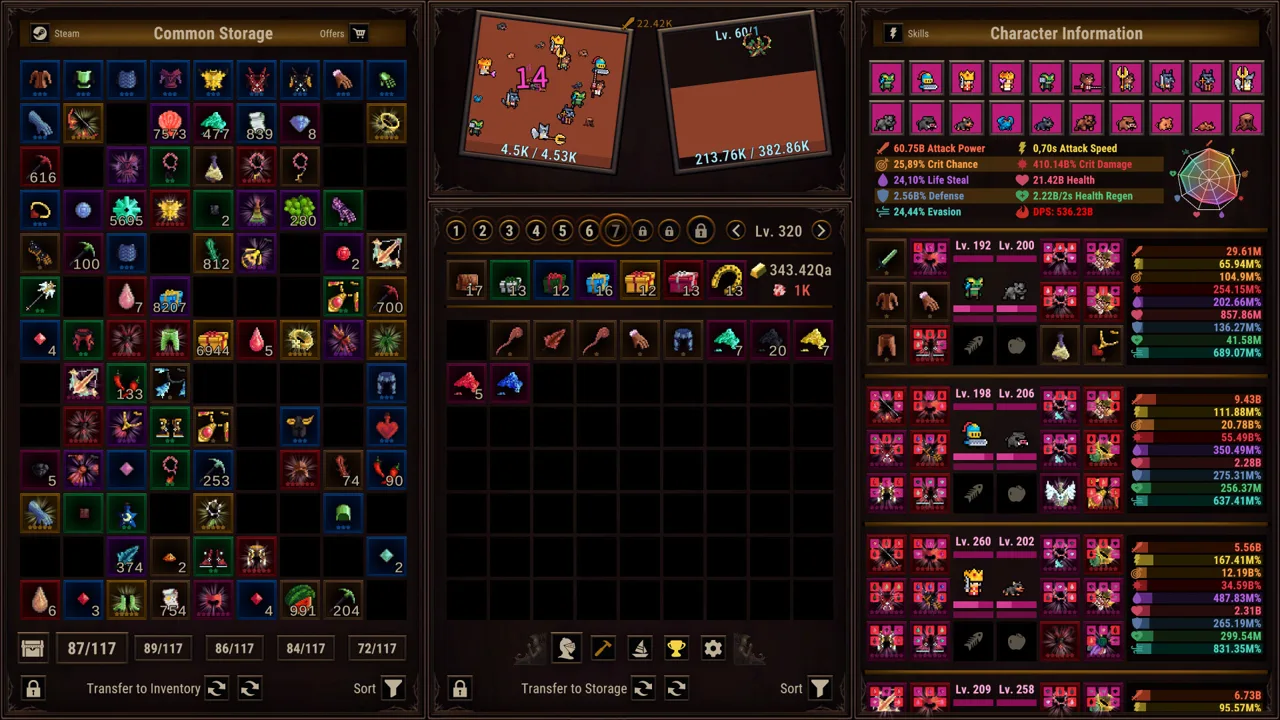 Image: Steam / DarkRook Interactive
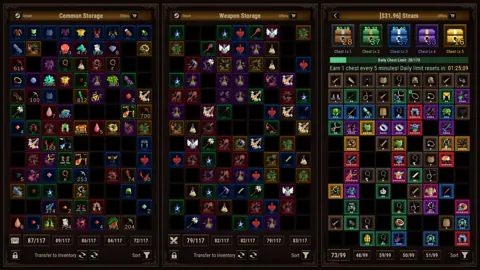
Pets can be upgraded, while the Library and Animal Shelter provide boosts for heroes and pets. Hunting, Farming, and Mining add resource gathering to the game, and the Merchant lets you exchange ores for rewards.
| Village or Support System | Function |
|---|---|
| Library | Boosts heroes |
| Animal Shelter | Boosts pets |
| Hunting, Farming, and Mining | Gather resources while you work |
| Merchant | Exchanges ores for rewards |
| Pet upgrades | Develop your companions |
Include Pets in Character Reviews
When spending time on your team, check your pets as well as your heroes. Review their upgrades and the Animal Shelter alongside character equipment and talents.
Keep hero and pet development visible together. If you only open the equipment screen, you are considering one part of a game that offers several ways to build your team.
Choose a manageable review routine. Look at character development, then pets, then the village systems connected to each. Adjust that order to suit the upgrade you are currently pursuing.
Give Resource Gathering a Purpose
Use Hunting, Farming, and Mining while the game runs alongside your other activities. When returning to the village, review the resources you have gathered and inspect the Merchant’s ore exchanges.
Read the reward details before making a trade. Connect the exchange to something you want to pursue rather than trading simply because ores are available.
The same habit applies to village upgrades: inspect what an upgrade offers, then decide how it fits your current plans. You do not need to work on every system during every visit. Keep your attention on the choices relevant to the team you are developing.
Plan Hero Progression Around Cube Upgrades and Prestige
Task Bar Cube heroes sit within a progression system built for extended play. The game has no level cap, Cube upgrades have no cap, and Prestige adds another part of long-term development.
ACT League deserves attention because defeating rival bosses grants bonuses that remain after Prestige. That persistence gives those rewards a distinct place in your planning.
| Progression Feature | What It Offers |
|---|---|
| Cube upgrades | Hundreds of upgrades with no cap |
| Prestige | An additional progression system |
| ACT League | Rival boss battles with bonuses that persist after Prestige |
| Story | Eight chapters |
| Daily quests | Recurring objectives |
| Online Ranking | A weekly leaderboard |
Review Persistent Rewards Before Prestige
Inspect ACT League bonuses when planning around Prestige. Keep their lasting benefits in mind alongside your current character development.
Read the Prestige screen carefully before using it. Base your decision on the effects shown in the game, and review your team beforehand so you understand its current state.
Keep a clear distinction between improving an individual hero and working on broader progression. Talents, skills, and equipment concern character development; Cube upgrades, Prestige, and ACT League give you additional systems to consider.
Use Objectives to Focus a Session
The eight story chapters and daily quests give you objectives alongside ongoing upgrades. Choose one of those objectives when you want a clearer direction for a play session.
For instance, review a daily quest, inspect the relevant game system, and then return to team development afterward. Let the objective guide your attention without assuming every upgrade needs to happen at once.
The weekly Online Ranking offers another goal. Compare your own builds through repeatable checks: review the same character details and keep changes separate when testing them.
For a focused Task Bar Cube heroes routine, check equipment, revisit talents and skills, review pets and village boosts, and inspect your broader progression goals. Spend your attention where you have a specific decision to make.
You can play Task Bar Cube on Steam on Windows and switch between its taskbar window and fullscreen presentation.
FAQ
How many classes do Task Bar Cube heroes have?
Task Bar Cube heroes have five classes, each with its own combat skill. Talent trees and hero skills provide additional character customization, while equipment and gems add further development choices.
How do you improve hero equipment?
Equipment supports fusion, gem socketing, rarity upgrades, and tier upgrades. There are seven rarities, ranging from Common to Divine, and seven tiers for every item. Compare an item’s stats, rarity, and tier before choosing how to develop it.
Do heroes fight automatically?
Yes. Heroes battle automatically, including while you are away. You can keep the game in a small taskbar window while doing other things or use fullscreen when you want to focus on managing your team.
What bonuses remain after Prestige?
Bonuses earned by defeating ACT League rival bosses remain after Prestige. Include those rewards in your long-term plans alongside hero development, pets, village boosts, and Cube upgrades.
Continue with
 Task Bar Cube Pets Guide: Upgrades and Team PlanningExplore Task Bar Cube pets, Animal Shelter upgrades, and team planning. Learn how pets fit alongside gear, village resources, and long-term progression.
More in Heroes & Pets
Task Bar Cube Classes: Skills, Gear, and Team Builds
Explore Task Bar Cube classes, combat skills, talent trees, pets, and gear upgrades. Shape your hero builds and strengthen your team for idle battles.
Task Bar Cube Skills Guide: Heroes, Talents, and Gear
Explore Task Bar Cube skills, five character classes, talent trees, pets, and gear upgrades. Plan your development and tackle long-term idle progression.
Task Bar Cube Talent Trees: Hero Progression Guide
Explore Task Bar Cube talent trees, hero skills, pets, and gear upgrades. Plan your team around five classes and tackle endless progression on your PC.
Continue exploring
Join the community
Official channels for news, updates and player help: